Can You Use ChatGPT or Claude to Audit Payroll? What Works and Where It Breaks


Key Takeaways
- ChatGPT and Claude are good at reading a payroll export, spotting outliers, explaining variances, and writing the formulas you need to check them.
- The same file and the same prompt can return different answers, so a chat-based check can’t tell you whether a change in results came from payroll or from the tool.
- The model provider is rarely the security weak point. The workspace around it is: who can open the file, which connectors touch it, and how long it’s kept.
- A DIY check suits small technical teams running occasional reviews. Multi-location operators that need every cycle checked the same way, independently of the payroll team, usually need a dedicated system.
Short answer: yes. Pull last cycle’s payroll register out as a CSV, paste it into ChatGPT or Claude with something like “anything weird in here?”, and a minute later you’re reading a neat list of outliers plus a couple of questions you hadn’t thought to ask. If you’ve tried it, you were probably impressed.
The better question is whether you should. That file holds every employee’s name, pay rate and bank details, sometimes Social Security numbers too. Where it ends up depends on which plan you’re on and how your workspace is set up. A free personal account is a very different place from a company workspace with training switched off and access locked down.
So ChatGPT for payroll review can work, and so can Claude for payroll, as long as you know where the data goes. Here’s where a chat-based check pulls its weight, where it falls over without telling you, and what we’d set up before leaning on one.
What ChatGPT and Claude Can Do in a Payroll Review Today
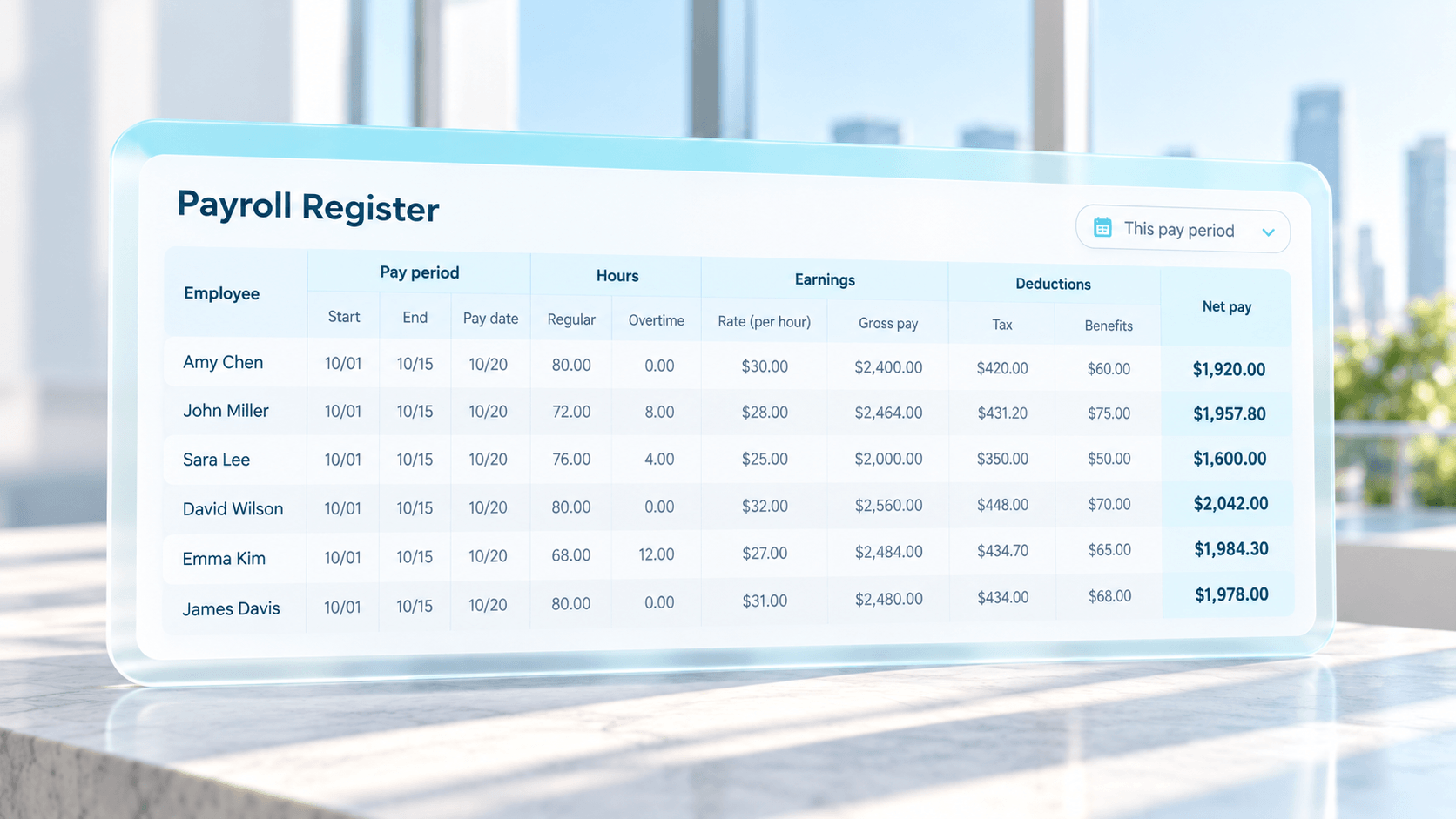
Give an LLM a table, and it’s quick to point at the odd rows. In a payroll register, that means the employee whose gross pay doubled, an overtime line with zero hours behind it, or the store where average hourly cost crept up since last period.
Explaining is the other strong suit. Paste two periods side by side, ask why labor cost went up, and you’ll get a readable breakdown by department or pay code that you could forward to an ops lead.
A few more jobs they handle well:
- Spreadsheet formulas, like an XLOOKUP that lines up timecard hours against paid hours by employee ID (an afternoon of fiddling, gone)
- A pre-payroll review checklist your team can mark up
- Plain-English summaries of a new state wage rule or a union clause, which you still check against the original
- Turning a messy variance into one paragraph the CFO will actually read
Asking once? That’s frequently all you need.
Keep one distinction in mind. Payroll providers are now putting their products inside ChatGPT. Gusto launched an app in ChatGPT in January 2026 that lets connected customers ask questions about their payroll data, see estimated costs for the upcoming period and, for select customers, start a payroll run (CPA Practice Advisor, January 23, 2026). That’s running payroll through a chat window. Checking whether that payroll is right is a separate job, and it’s the one this article is about.
Where a Chat-Based Payroll Audit Breaks Down
Run the same check twice, and you’ll see the first crack.
LLMs build each answer by guessing the next likely word, so an identical file plus an identical prompt doesn’t guarantee an identical reply. One run leads with an overtime cluster at one location. The next leads with a terminated employee who still got paid, and the overtime never comes up. For a single question, you can live with that. For a payroll audit you run every cycle, it undoes the point of the exercise: if this cycle’s check didn’t work the way last cycle’s did, a change in the results could mean payroll changed, or just that the answer did. You can’t tell which.
{{set_of_eyes}}
What Happens to Payroll Data When You Upload It to an AI Tool
Payroll may be the most sensitive file your company has. It holds every employee’s name, pay rate and bank details, plus garnishments and often Social Security numbers. Before it goes into any AI tool, you should know where it’s stored and who can see it.
First, the fair part. The models themselves can be secure. OpenAI says it does not train on ChatGPT Enterprise business data, has been audited for SOC 2, and supports SAML single sign-on and retention controls (OpenAI). Anthropic says that by default it does not use inputs or outputs from its commercial Claude products to train its models (Anthropic). On a business plan, the model provider usually isn’t the weak point.
Where things go wrong is the setup. A typical company has one shared AI workspace, and it’s where sales writes follow-up emails and marketing drafts LinkedIn posts too. Whether a given person can open the project with last cycle’s register in it comes down to project settings, connectors and sharing defaults, usually picked by whoever happened to set the workspace up. Leave one permission too loose, or let a connector reach further than anyone realized, and a payslip lands in front of somebody who should never have seen it. No one meant any harm. The settings just weren’t built with payroll in mind.
Before anyone uploads payroll, check four things:
- Which plan you’re on, and whether training on your data is switched off
- Who can see the project or conversation that holds the file
- Whether employee names and IDs can be masked before upload
- How long uploaded files are kept, and who can export them
A dedicated system adds the layer an internal project rarely budgets for. That means storage designed for payroll, role-based access so a site manager sees their site and nobody else’s, anonymized employee data, and a SOC 2 audit that covers the whole setup around the model.
From a One-Off Check to Every Pay Cycle
The first version usually works well, especially when the person who built it is watching.
Then the business moves. A new location opens with its own pay codes. The timekeeping vendor renames two columns in its export. A new union agreement changes the overtime rule at three sites. Somebody has to fix the prompt, script or lookup table for every one of those, ideally before payroll is due, which happens to be the exact week payroll teams have no slack.
Sooner or later, whoever built it gets pulled onto something else, or leaves. Noam, Celery’s CTO, describes what tends to happen next: a couple of months in, the file format shifts, someone less experienced runs the tool, and it produces “very confidently wrong results.”
Nobody notices, because a check that runs without errors looks exactly like a check that works.
That’s where the cost sits. People assume that AI is basically free, eventhough that tokens can creep up easily too. But the person maintaining it is the expensive part. Wiring up six to eight payroll and timekeeping systems, keeping rules current, and fixing breakages adds up to about one full-time developer, roughly $140,000 to $220,000 a year.
And when a check drifts, the misses don’t stay small. The real cost of payroll errors adds up through back pay, penalties, and the hours spent fixing them after the money is gone.
{{wrong}}
When a DIY AI Check Makes Sense, and When It Does Not
Sometimes building it yourself is exactly right, picture a small team with one technical person who likes this kind of project, one payroll system, a location or two, and checks that happen now and then, before year-end, say, or right after a system change. When a miss would be a nuisance and not a cost, a carefully kept prompt plus a few formulas you’ve verified can be plenty.
Things change once payroll gets bigger than one person’s head. A restaurant group with 40 locations, or a contractor running union and non-union crews across three states, needs every cycle checked the same way, with results it can compare period to period. It also needs the check to be independent. A tool your payroll team builds sees payroll the way that team already sees it, so it tends to confirm what they expect. Your CFO and auditors get more from a check that sits outside your payroll system and your payroll team and has no stake in the answer.
If you want to automate some checks, a general AI tool can be a good fit. If you want to enable the entire process with AI and automation, and know the money going out is governed, you need something built for that.
Whichever way you go, run the check before payroll goes out. And if you’d rather have a second set of eyes that runs independently and protect your payroll before pay day, with nobody on your team maintaining it, that’s the job Celery was built for. Celery is an AI-powered payroll protection platform, and errors get caught before money moves.
Want a second set of eyes on every payrun?
Celery checks every payrun for errors, leakage and compliance issues before you hit submit.

Confidently wrong is still wrong
Celery runs the same checks every cycle and flags errors before payroll closes. It doesn’t drift when your exports change.
FAQs
It can be, with the right plan and some care. On a free or personal account, check the data controls in settings first, because training and retention defaults differ from business plans. Whatever the plan, upload less. Most checks need only employee ID, location, pay code, hours and amount. Strip Social Security numbers, bank details and home addresses before the file leaves your system, and delete the conversation once the check is done.
Not on its own. ChatGPT doesn’t know this year’s withholding tables, your local minimum wage or your overtime agreements unless you supply them, and it can slip on large decimal arithmetic. When it runs Python through its data analysis feature, the math itself is far more reliable, because code is doing it. Use it to build and explain the calculation, then let your payroll system or a verified spreadsheet produce the final figures.
From the model provider, largely yes: neither OpenAI nor Anthropic trains on enterprise business data by default. Privacy inside your own company is a separate question. Workspace admins can usually access or export conversation history, so payroll discussed in a chat may be visible to IT. Before using either tool for payroll, confirm who holds admin rights, how projects are shared, and whether retention is set to delete files after use.
A general AI tool can speed up parts of one, like sorting exceptions or drafting the findings. A payroll audit also needs a documented, repeatable method and an evidence trail: what was checked, against which rule, on which date, and who signed off. A chat history doesn’t give auditors that. AI built into a dedicated system can check every cycle before payroll runs, which works more like an ongoing control than a once-a-year audit.
They can catch some errors, and they’re worth switching on. Ask your provider which checks run before approval and which only run after payroll is processed, and whether you can tune them to your rules. Keep in mind that a provider’s checks review its own output and see only its own data. If your hours sit in a separate timekeeping system, or you run more than one payroll provider, mismatches between systems fall outside what those checks can see.