.svg)

6 Payroll Compliance Software Tools Finance Teams Actually Use

Key Takeaways
- Payroll compliance software checks payroll data against wage, hour, tax, and union laws.
- Multi-state and multi-site payroll is where manual reviews break down first, because complexity outgrows human capacity.
- Most compliance platforms can work with your existing payroll system.
- Software flags compliance issues, but deciding how to fix them still falls to people.
Why Finance Teams Need Dedicated Payroll Compliance Software
Payroll compliance isn't just one rule, but dozens of overlapping rules, and they don't always agree with each other. Every state sets its own wage and hour requirements. Union contracts layer on top of that. Regulated industries carry compliance obligations that go past what a standard payroll ever has to deal with (if you're running healthcare payroll specifically, our guide on healthcare payroll compliance covers the rules unique to the industry).
Then there’s the scale. When a corporate team runs payroll for a dozen sites, it’s easy to lose track of which location recently changed its minimum wage, which department unionized last quarter, or which CBA was renegotiated over the summer.
Labor laws don't hold still either. States adjust minimum wage on their own schedules, sometimes mid-year. Union agreements get renegotiated. A rule that was correct in January can be wrong by June, and nobody sends a memo when it changes. Tracking every jurisdiction by hand, and applying it correctly to every single pay run, gets close to impossible once a company operates in more than a handful of states.
Most payroll internal controls weren't built for this. And when the whole review has to happen in the day or two before processing, by someone who's also closing the books that week, something eventually gets missed.
That's when the leaks start. A missed meal break becomes a class action. A CBA violation gets caught by a union rep before it gets caught internally. What was a small oversight turns into audit exposure and backpay liability, and the bill for fixing it after the fact is always higher than the cost of catching it before the check went out.
None of this has to run on institutional memory anymore. This is the kind of payroll risk management purpose-built software now handles, by catching what a manual review misses given how many rules one team is expected to track at once. It's part of a broader shift in what finance teams are responsible for.
What Payroll Compliance Software Actually Does
Payroll compliance software checks whether the payroll data match the rules that apply to each employee, in each location, under each agreement. That might sound simple until you actually list what "the rules" include: overtime thresholds that shift by state, meal and rest break requirements, minimum wage that can vary by city, CBA-specific pay rates and unique industry-related policies.
A good compliance platform runs these checks automatically, pulling data from timekeeping, HR, and payroll systems and comparing it against the policies configured for each site, role, department, etc.
In a typical run, the software is looking for things like: hours that should have triggered overtime but didn't get paid at the right rate, a break that was skipped or paid incorrectly, an employee coded under the wrong classification, a tax withholding that doesn't match the jurisdiction on file, or a retro pay adjustment that didn't carry through correctly. Each of those, caught after the fact, means a correction, an explanation to an employee, and sometimes a report to a regulator.
The other half of the job is payroll reporting software: generating the audit trail that shows what was checked, what was flagged, and what happened to each flag. So that when an auditor or a state agency asks for proof that a company reviewed its payroll for compliance, you’ll have it audit-ready.
Top Payroll Compliance Software Tools Finance Teams Actually Use
1. Celery
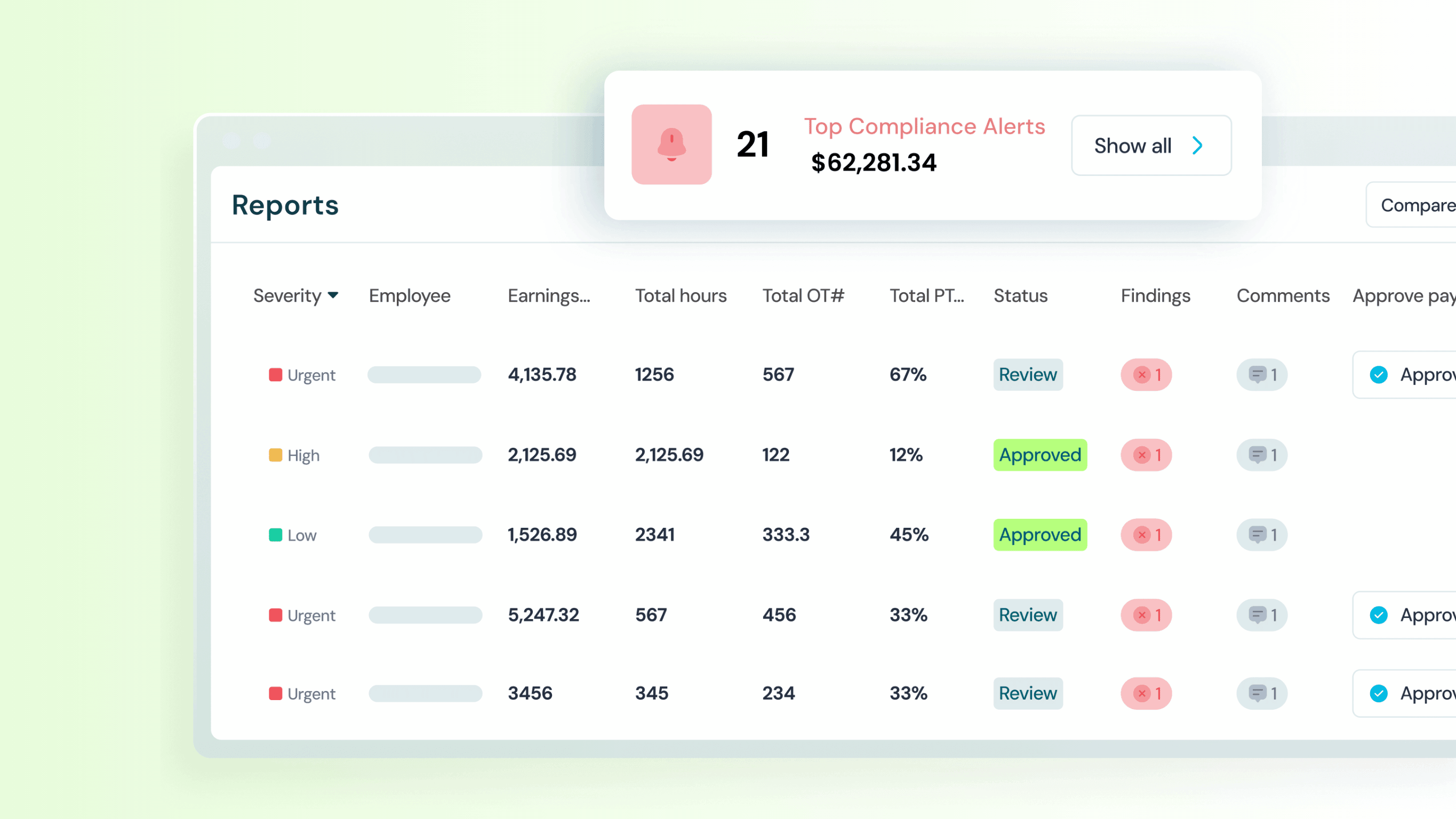
Celery runs as an audit layer on top of whatever payroll platform a company already uses. It pulls data through payroll software integration from every connected source and runs upward of 100 tests against it before each payroll cycle finalizes, checking for both payroll errors and the compliance violations that are easier to miss. Because it runs before money leaves, it gives time to fix a flagged issue instead of fixing it after the fact.
It's built for multi-location, multi-state payroll specifically. You can use Celery to configure rules by site, department, union, or location, so a company running payroll across 15 states and three different CBAs isn't stuck applying one generic rule set everywhere.
{{discover}}
2. Symmetry Software
Symmetry focuses narrowly on tax compliance infrastructure. Its tools handle federal, state, and local tax lookup and calculation, employee withholding forms, and I-9 verification for onboarding and payroll providers. Companies use it to calculate gross-to-net payroll taxes when building or extending a payroll product, or when embedding payroll into an existing application.
It also runs an AI tax resolution tool aimed at cutting down manual tax research, which matters for teams that don't have a dedicated tax specialist on staff.
3. MasterTax
MasterTax is a dedicated payroll tax filing engine. It automates the manual work around agency filing deadlines, scheduling payments based on each agency's mandates, supporting check and ACH remittance, and flagging variances between deposits and liabilities early enough to fix them. It integrates with most existing payroll systems.
This one's built for teams whose biggest compliance risk is filing and remittance.
4. Asure Payroll Tax Management
Asure is built to provide multi-jurisdiction filing infrastructure that runs alongside systems like Workday, Oracle, and SAP, automating federal and all-50-state tax calculation, filing, and remittance. Asure also covers ACA, FLSA, and wage garnishment requirements, which can be beneficial for larger companies juggling several compliance mandates at once.
5. Middesk
Middesk sits closer to business compliance than payroll processing itself. It helps companies track and stay current on their payroll obligations to both workers and regulatory agencies, and it's particularly useful for tax registration and entity compliance verification across jurisdictions.
6. ADP Standalone Compliance Services
ADP sells compliance as its own product line, separate from its core payroll offering. Alongside its payroll and HR software, ADP offers Standalone Compliance Services for tax, benefits administration, and general compliance, aimed at both midsized and large businesses that want ADP's compliance tools without necessarily running ADP payroll end to end.
Comparison at a glance
How Finance Teams Evaluate Compliance Software Before Buying
Most teams start by evaluating what they need from the platform and what they hope to achieve with it. The questions tend to be practical: Does it connect to the payroll processor and HRIS already in use, or does it require a new data feed to be built from scratch? Can policies be configured at the site, department, or union level, or does the platform rely on a one-size-fits-all rule set with only a few adjustable settings?
The level of visibility is also important. A tool that simply says “error found” without showing which rule was violated, which record was affected, and why the issue was flagged is only partly useful. The platform should provide enough context and supporting data so your team can focus on investigating and resolving the issue.
The audit trail is often one of the most closely evaluated features, since it is what regulators and internal auditors may eventually ask to review. Look for a tool that documents every issue, action, and historical change so your team can learn from past findings and remain audit-ready.
Finally, most teams check whether rules can be easily modified, updated, removed, or added after the system is live. This is especially important when multiple CBAs are in place, as their terms may change frequently.
{{freeaudit}}
The Compliance Gaps That Payroll Software Alone Cannot Close
While software can flag that a pay rate does not match a CBA, it cannot decide how the company should handle the discrepancy once it is found. That may involve making a one-time correction, auditing every employee covered by the agreement, or speaking with the union representative. That decision still rests with real people.
The same is true for every flag. A platform can check whether an employee is being paid according to the classification on file, but it cannot determine whether that classification was correct in the first place. It also cannot decide whether a contractor should have been classified as an employee or whether a role that is exempt in one state should be non-exempt in another. These are legal and HR judgment calls that often require input beyond what the system has.
Configuration is another area where human decisions still shape the outcome. Software can only check against the policies it has been told to apply. If a new state law passes and no one updates the configuration, the platform will continue checking against an outdated rule and may approve records it should flag. Someone still needs to review the law, understand how it applies to the company’s workforce, and make sure the system is configured correctly.
Ultimately, payroll compliance platforms are designed to support people and reduce repetitive work, not replace human judgment and empathy. The platform can save hours by flagging potential risks automatically, but it doesn’t take away humans' accountability and ownership.
Try Celery for Free
Get a quick free payroll audit with Celery

Keep Your Payroll. Add Smarter Auditing.
Celery works with your existing payroll platform, helping you strengthen payroll accuracy without replacing your current system. Explore Celery.
FAQs
Yes, for platforms designed to run pre-processing. These tools audit payroll data against configured rules before the pay run finalizes, which means a flagged issue can still be corrected before money moves. But not every tool works this way. Some, like tax filing engines, focus on catching discrepancies during or after remittance rather than before the pay run itself.
Many compliance tools are built as add-ons precisely because switching payroll processors is disruptive and expensive. So they usually connect to your existing processor. The integration depth varies by vendor, so it's worth confirming exactly which systems a tool connects to before committing.
Platforms built for multi-state payroll can apply compliance checks by location, department, city, and state. Capabilities vary across vendors, so it is important to discuss your specific requirements before deployment.
Platforms designed with configurable policy layers, by union, department, or site, can check rules against CBA terms. Generic payroll tools without that configuration depth typically can't.
A good compliance software will generate a timestamped record of what was checked, what was flagged, which rule was violated, and how the flag was resolved. This can become documentation that the company presents to auditors or regulators as proof of active compliance monitoring. The depth and format of this trail varies significantly between vendors, so it's worth reviewing sample reports during evaluation.